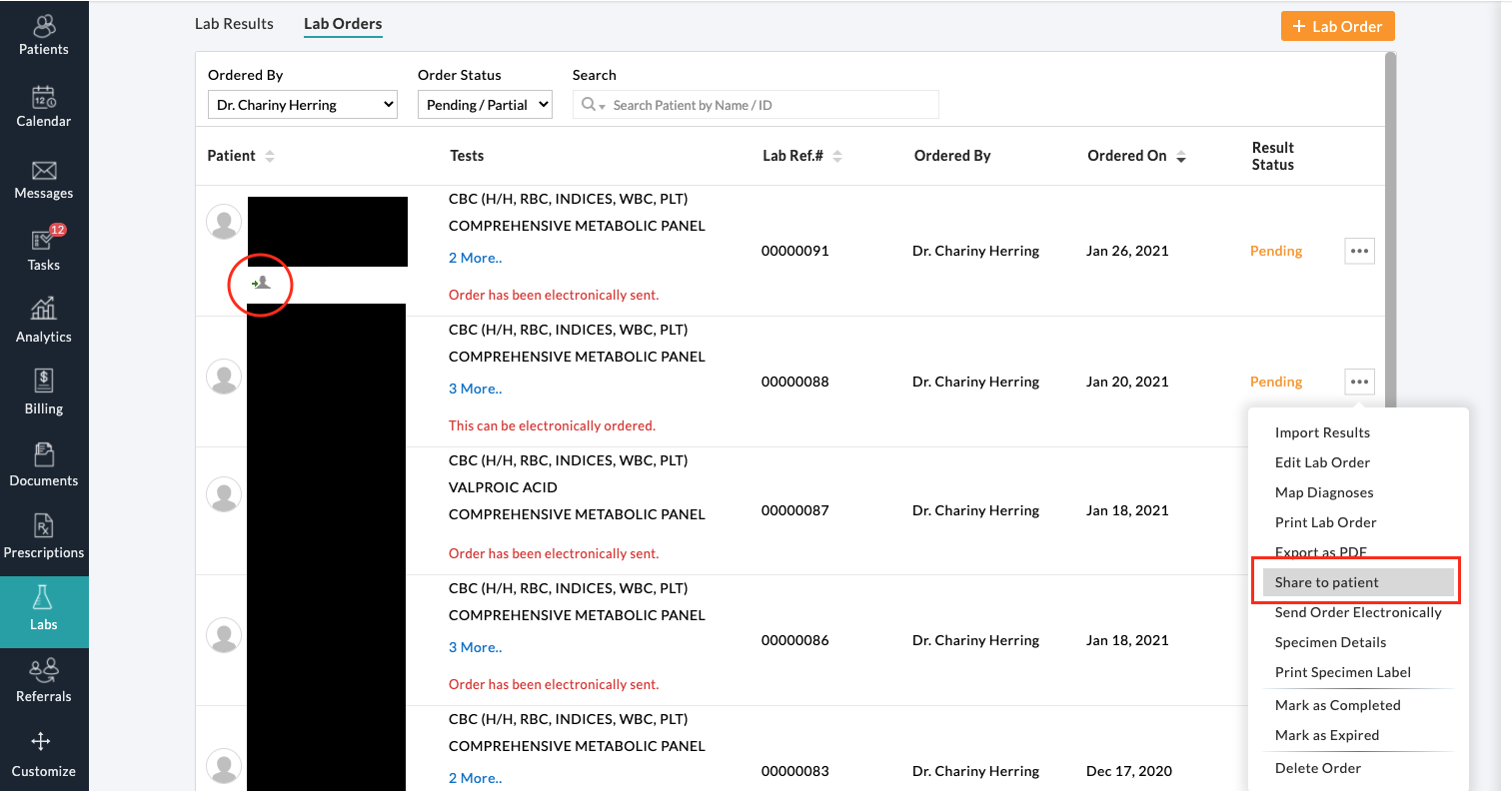
- Click Labs (left side bar)
- Find the patient you are looking for
- from the three dot menu select share to patient
- You will notice that there is now an arrow (see red circle) pointing toward a gray silhouette of a person indicating that the order has been successfully shared to the patient portal.