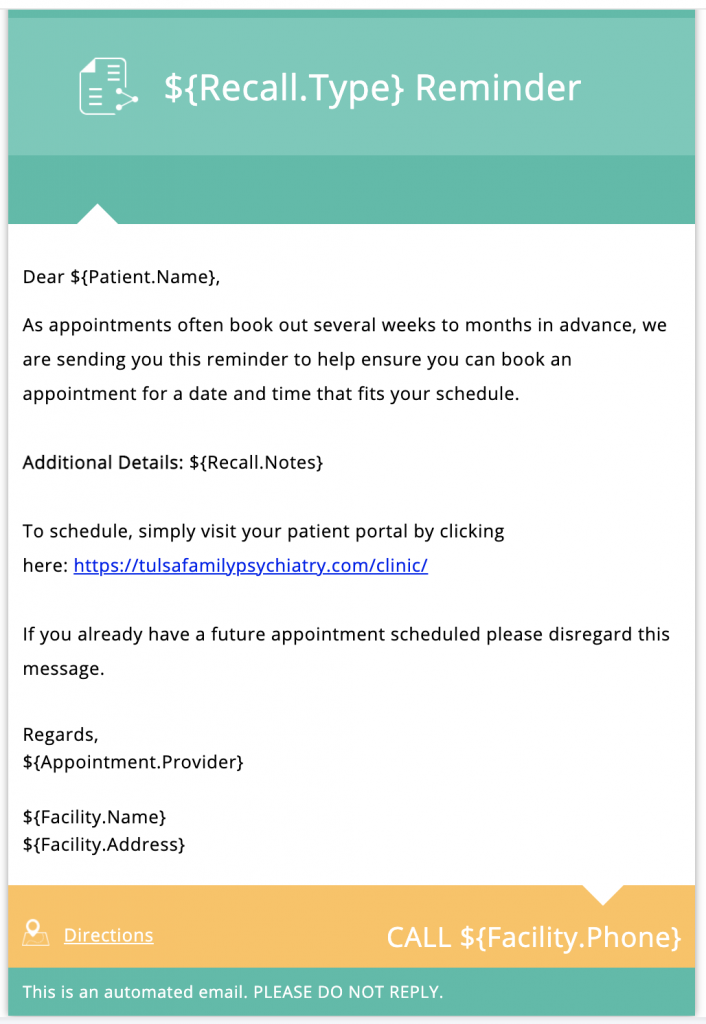
The automated Patient Recall system provides a secure and effective way to send reminders (Email and Text) to patients to schedule follow up appointments for Office Visits, Lab Tests, Procedures etc.
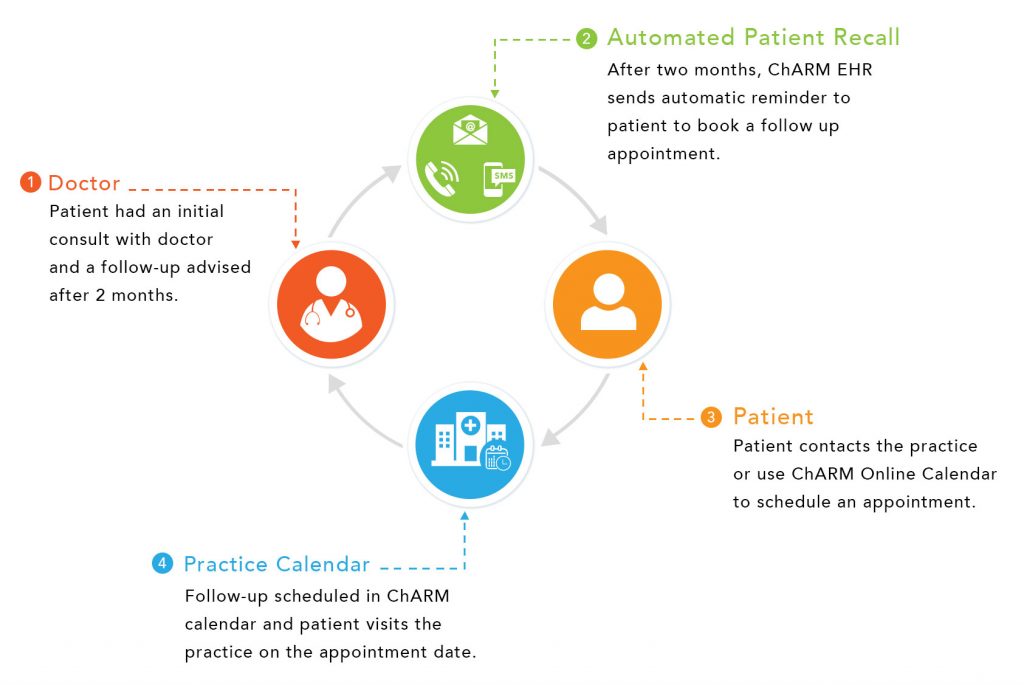
Non-clinical Staff Workflow
Setting a Recall from patient record
You will be setting a recall after reading the plan or via request from a provider.
* Instructions for viewing the plan are not covered here.
- Search for the patient
- From the left menu > Recalls
- Press the + Recall button
- Type: Follow Up Due
- Notes: Easiest thing is to repeat what the provider put in the plan or simply enter something like “4 week follow up due”.
- Due Date: select either in or after
- Enter a number (2, 4, 6, etc)
- Select days, weeks, or months
- IMPORTANT Select the corresponding provider
- Be sure “Send Auto Reminders to Patient” is checked
- It is not typically necessary to change the Email and Text before days
- Be sure Voice is unchecked
- Click Add to finalize the recall
Provider Workflow
Setting a recall from encounter note
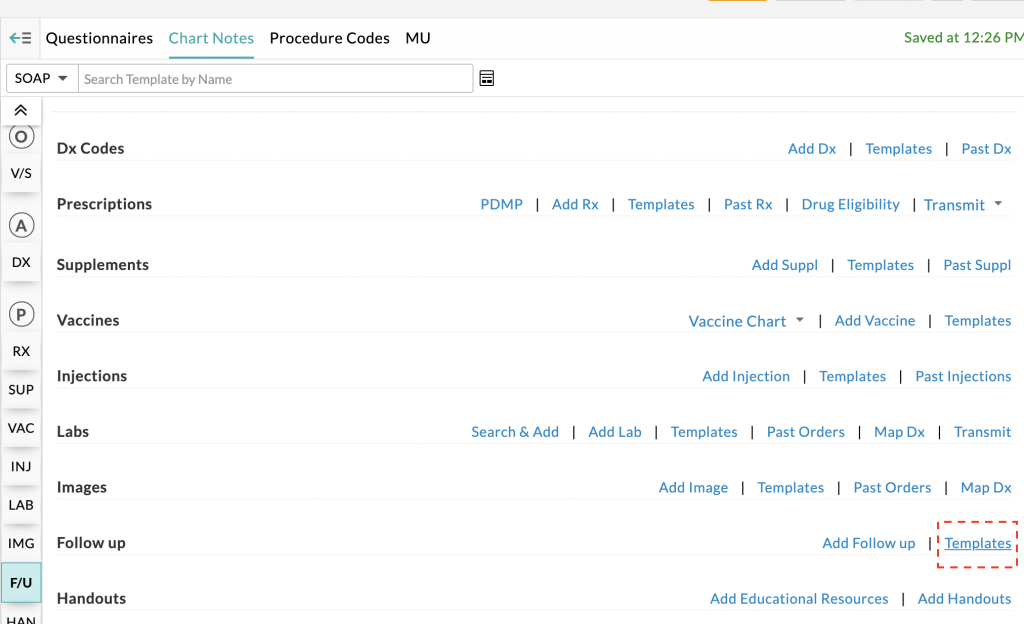
- In the Plan section of your note you will see the F/U section. Click the Templates link which will launch the Follow up Template dialogue box
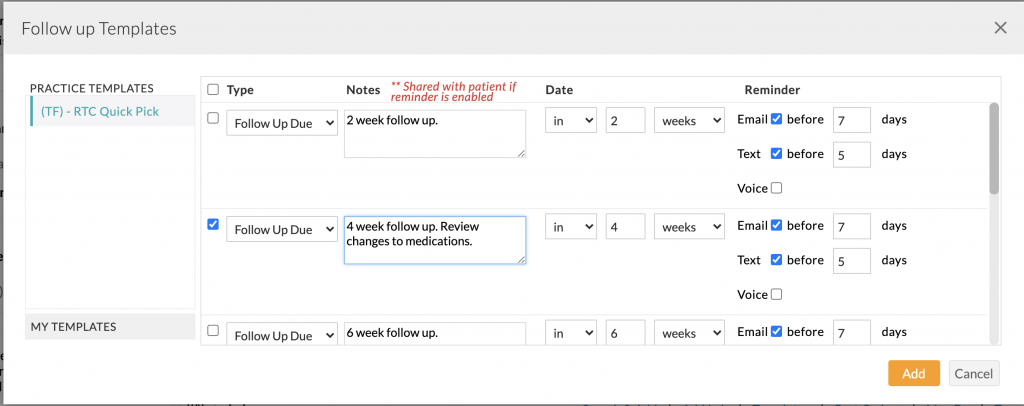
- Place a check mark next to the desired follow up interval
- Enter any additional notes in the notes text box you wish for the patient to see
- Click Add button to close the window and save the recall
 You will note that the selected F/U is now listed in the note
Pending Recall Notification When Scheduling
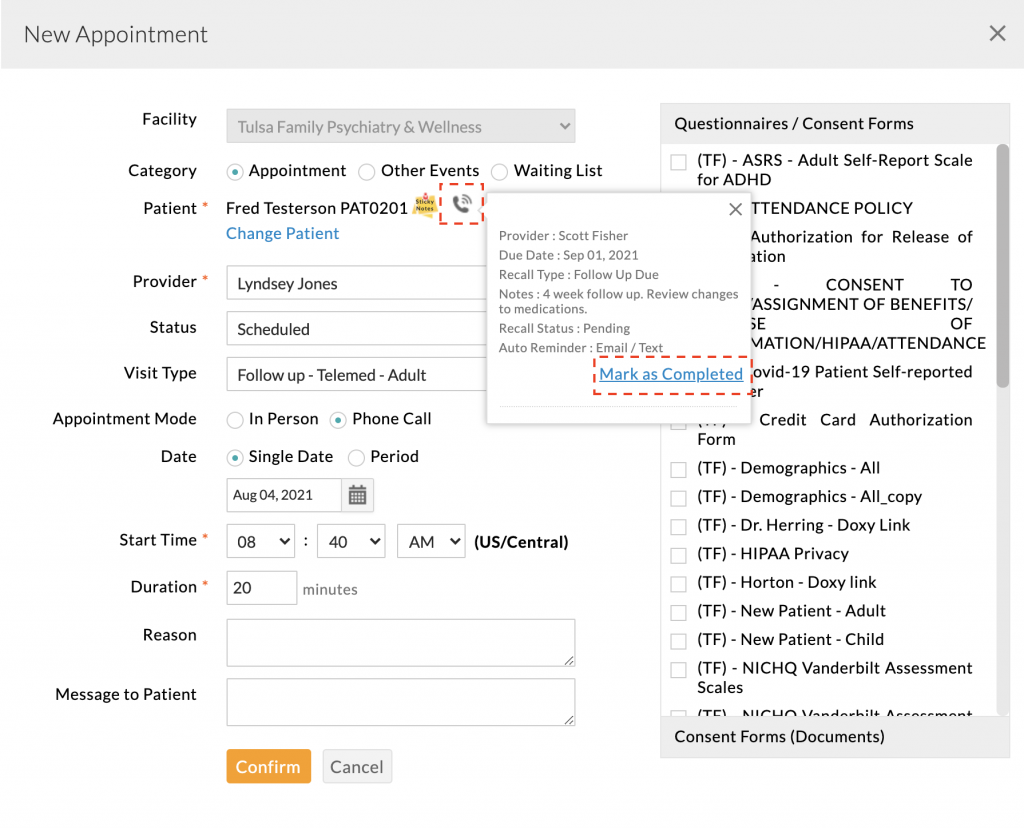
Pending recalls of the patient are shown while booking appointment. If you are scheduling an appointment for the patient you can mark the recall status as completed.
You can tell a recall is set for a patient in two ways:
- From the New Appointment Window
- From the patient record > Recall menu item
From the New Appointment Menu
From the Recall Menu
- From the left menu in the patient record > Recall
Recall Text Reminder
This is a courtesy reminder from $PRACTICE to schedule for $NOTES.
You can schedule by logging into your patient portal https://tulsafamilypsychiatry.com/portal/
Please disregard this message, if you already have a follow up scheduled.
Recall Email Reminder