
Initial Inquiry Email Received
Alicia Receives Email upon new submission.
Click “More Actions” in the email to go to the inbox.
- Review patient submitted information for any possible issues
- Review PMP
- Open date range to 3 years
- Multiple prescribers?
- Multiple scheduled medications? (Opioids, stimulants, others)
Enter any pertinent comments in the comments field.
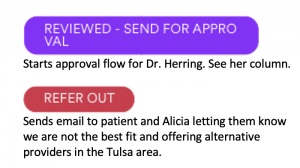
If no issues with patient information and no issues with PMP history, click “REVIEWED – SEND FOR APPROVAL”
If there are issues and we will not be taking the patient, click “REFER OUT”.
Dr. Herring Approval Flow
Dr. Herring will receive two emails if Alicia sends for further approval.
INITIAL EMAIL
Subject: Secondary Review Dr. Herring
Email body:
Sending patient to you for approval. See comments for any concerns.
- PMP Reviewed
- Patient submitted info reviewed
Comments: {Comments from comments section}
SECOND EMAIL
You will then receive a second email with a link to the inbox where you can act on the submission by clicking “More Actions”.
Once in the inbox, you may select from several options:
