
Overview
With the release of Group Messages in Charm, patients will no longer be able to send direct portal messages to individual providers or staff members.
Direct staff/provider messaging was discontinued because messages sent to one individual were not always visible to the rest of the team. If that person was sick, on vacation, or otherwise unavailable, follow-through could be delayed or missed.
At the same time, removing direct provider messaging has left some patients feeling like they could no longer reach their provider directly. To address this, we have built what we are calling Care Team Messaging.
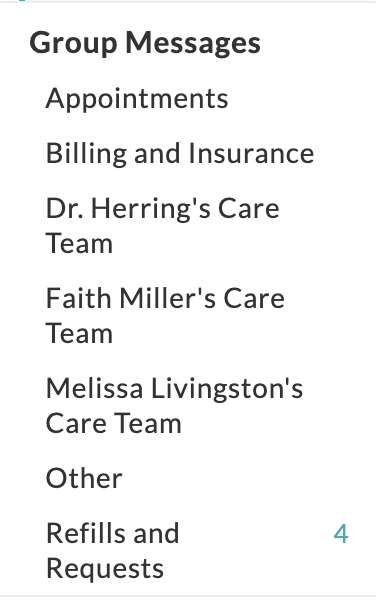
Group Messages
The Group Messages feature facilitates secure, organized message communication between Patients and a predefined group of members within the Practice. Instead of messaging individual members, Patients can contact the right team, such as Billing, Front Office, or Lab Services, ensuring faster and more consistent responses.
|
Group Name
|
Patient Facing Description
|
|
Appointments
|
Scheduling a new appointment, rescheduling/canceling an existing appointment, or appointment-related questions.
|
|
Billing and Insurance
|
Questions about your bill, statement, payment, insurance claim, or insurance updates can be sent here.
|
|
Dr. Herring’s Care Team
|
Message Dr. Herring’s Care Team for non-urgent medication questions, symptom updates, treatment-related questions, or other clinical requests related to your care with her. |
| Faith Miller’s Care Team | Message Faith’s Care Team for non-urgent medication questions, symptom updates, treatment-related questions, or other clinical requests related to your care with her. |
| Melissa Livingston’s Care Team | Message Melissa’s Care Team for non-urgent medication questions, symptom updates, treatment-related questions, or other clinical requests related to your care with her. |
|
Other
|
Send your questions here that don’t seem to fit anywhere else. Medical records, letter requests, etc can be sent here. |
| Refills and Requests | Medication refill requests, non-urgent clinical questions for your provider, and general questions. |
Where Group Message Appear in Charm
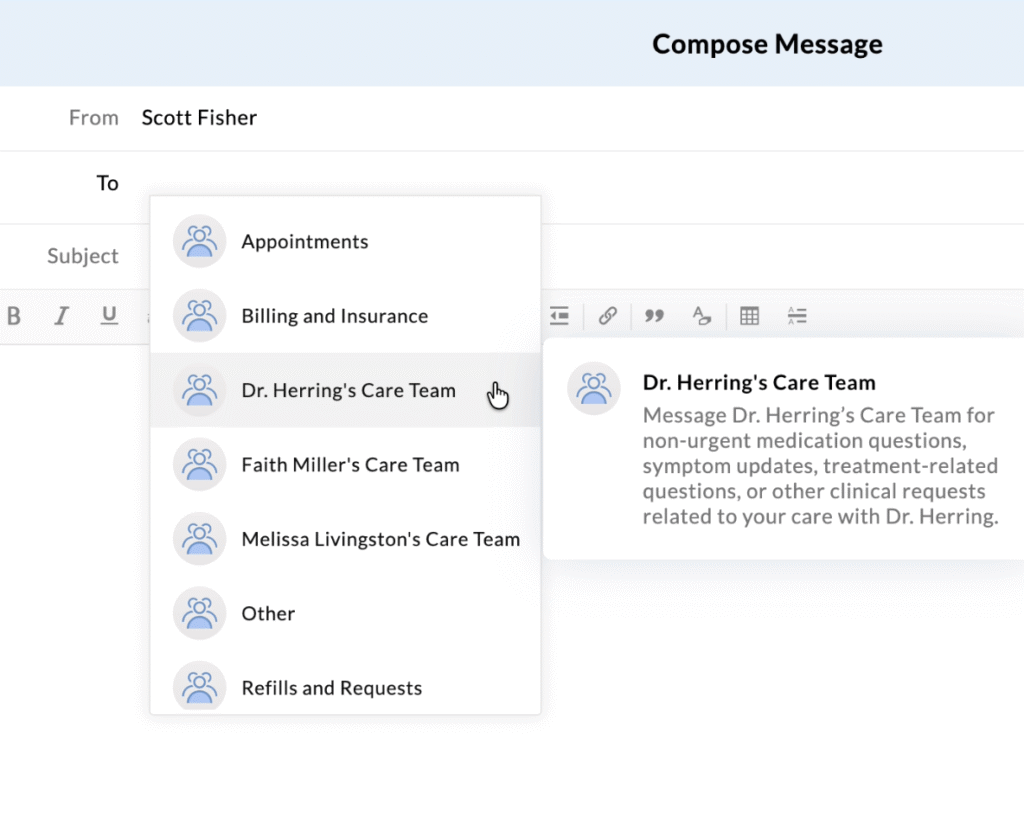
Charm PHR Compose Message Window
When patients send a message from their portal account, they can select their desired group. A description is shown to the right when hovering over a group name.
Staff Expectations
Staff should remain watchful for message notifications, which may appear in their work email, and should poll the appropriate Charm inboxes throughout the day.
Staff should regularly monitor:
- Group Messages
- Shared Inbox> From Patients > All Refills and Requests for patient-initiated refill requests
Incoming messages should be reviewed and either answered or actively in process before staff leave each day.
Staff should:
- Identify what the patient is actually requesting
- Route the message to the correct workflow
- Respond when the issue can be handled by staff
- Forward or assign messages requiring provider review
- Document meaningful patient communication in the chart when appropriate
Patients may choose the wrong message group. Staff should route the message correctly internally without correcting or blaming the patient.
FAQ
- Can a provider still send direct messages to patients?
- Yes, this functionality has not been changed
- What happens when patients get a message from their provider but can not reply?
- A universal message footer will be placed in each provider’s profile informing patients of their options for sending a reply.